Procore Estimating — How It Works and What Your Construction Bookkeeper Needs to Do With the Data

By Tammy Hoang, QuickBooks ProAdvisor | Construction Cost Accounting | calendly.com/tammycca/30min
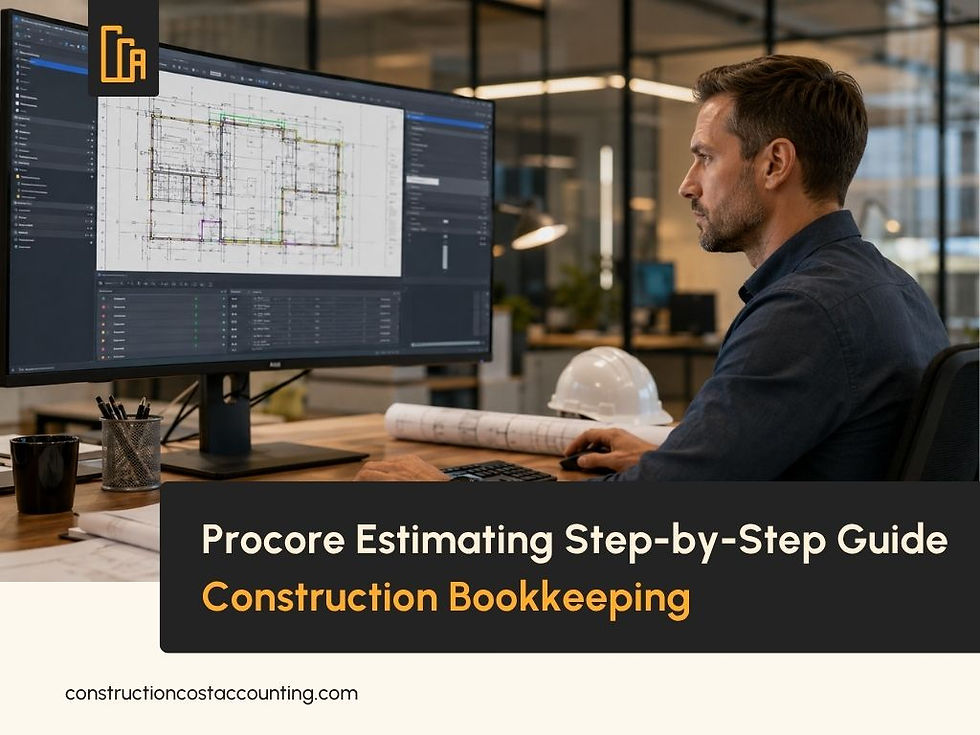
Procore Estimating is one of the most widely used construction estimating software platforms in the industry. It is designed to take a contractor from uploaded project plans all the way through digital takeoff, cost database integration, proposal generation, and direct budget transfer — entirely within a single cloud-based environment. For contractors who use Procore across the full project lifecycle, the estimating module solves a problem that has plagued preconstruction for decades: the gap between what was estimated and what the job cost accounting system actually tracks. But Procore Estimating is a preconstruction and project management tool. It is not a construction bookkeeping system. When a Procore estimate gets pushed into the project budget, the construction bookkeeper's job begins — and how well those two systems communicate determines whether your job costing is accurate, your WIP schedule is reliable, and your construction project budget holds up through to completion. At Construction Cost Accounting, we work alongside contractors using Procore every day. This guide explains the full Procore Estimating workflow, step by step — and what your outsourced construction bookkeeping team needs to receive, verify, and maintain once that estimate becomes a live project budget.
Step 1 — Upload Plans and Perform the Digital Takeoff
The Procore Estimating workflow begins with uploading project plans directly into the platform. Once uploaded, the built-in digital takeoff tool allows the estimator to perform three types of measurements directly on the plans: counts for individual items such as fixtures or outlets, area measurements for square footage calculations like flooring or roofing, and linear takeoffs for lengths such as piping, conduit, or wiring runs. The critical advantage of digital takeoff inside Procore Estimating is that quantities measured on-screen flow directly into the estimate — eliminating the manual transfer step that historically introduced errors into construction estimating software workflows. The estimator measures on the plan; the quantity appears in the estimate automatically. For contractors using construction estimating software outside of Procore, this integration is where a significant amount of data entry error was introduced — manually transcribing takeoff quantities into a separate estimating spreadsheet, then again into a bid form, then again into the project budget. Procore Estimating eliminates those handoffs within the preconstruction phase. From a construction bookkeeping perspective, the digital takeoff step establishes the quantity basis for the estimate. If quantities are measured incorrectly at this
stage, the cost database links that follow will produce an estimate built on a wrong foundation. Job cost accounting accuracy downstream depends on the accuracy of the digital takeoff upstream — which is why construction contractors using Procore Estimating benefit from an experienced bookkeeper who understands how estimate quantities translate to cost codes and job costing line items.

Steps 2 Through 4 — Cost Database, Assemblies, and Team Collaboration
Once digital takeoff quantities are captured, the Procore Estimating system links each measurement to items in the construction cost database. This automation connects real-time material and labor pricing to the takeoff quantities, reducing manual input errors and ensuring the estimate reflects current pricing rather than historical memory or spreadsheet lookups. The construction cost database in Procore can be customized to reflect a contractor's actual supplier pricing, labor rates, and subcontractor historical costs — making it a living reference that improves bid accuracy over time. Step three in the Procore Estimating workflow involves applying pre-built assemblies and templates. An assembly is a pre-configured package of cost items — for example, drywall per square foot includes not just the board but the mud, tape, screws, and labor rate for the trade. Templates allow contractors to apply consistent pricing structures across similar job types, ensuring that a tenant improvement estimate is built the same way every time the contractor bids that type of work. Pre-configured cost codes applied at the assembly level are where the Procore Estimating workflow connects directly to construction bookkeeping. The cost codes used in the estimate must match the cost codes used in the job cost accounting system. If a contractor uses Procore cost code 03-000 for concrete work in the estimate but a QuickBooks job class that groups all structural costs together, the job cost report will not align with the Procore project budget — creating a reconciliation problem that the outsourced construction bookkeeping team has to untangle manually every month. Step four — real-time cloud collaboration — allows team members to access, review, and adjust the estimate simultaneously from any location. This includes the ability to work offline and sync changes when internet connectivity is restored. From a construction bid management standpoint, this eliminates version control problems that arise when multiple estimators work on separate spreadsheet copies of the same bid. For contractors managing multiple simultaneous bids, cloud collaboration in construction bid management reduces the risk of submitting an outdated version of a proposal. Construction bid management that relies on email attachments and shared drives cannot match the real-time sync that Procore Estimating provides — which is why construction bid management has shifted decisively toward integrated cloud platforms.
Steps 5 and 6 — Proposal Generation and Budget Transition
Step five in the Procore Estimating workflow is proposal generation. Once the estimate is finalized, the system generates a branded proposal document that automatically includes line items, calculated markups, terms, and necessary attachments. The proposal can be exported to PDF or Excel or sent directly to the client from within the Procore system. This eliminates the separate document-building step that previously required transferring estimate data into a Word or InDesign template. Step six is the transition from estimate to project budget. Because Procore Estimating is integrated into the larger Procore ecosystem, the finalized estimate can be pushed directly into the project budget. From that point forward, any scope change during the job is visible immediately in the financial data — providing real-time cost control from the first day of the project. This is the step where the construction bookkeeper's role becomes critical. When the Procore Estimating budget is pushed live, it must be reconciled against the job cost accounting system — whether that is QuickBooks Online, QuickBooks Desktop, or Sage 100 Contractor. The table below shows exactly how the two systems divide responsibility once a Procore estimate goes live as a project budget.
Procore Estimating Does | CCA Bookkeeper Does | Why Both Are Needed |
Builds the preconstruction cost estimate | Sets up the job in QuickBooks with matching cost codes | Cost codes in Procore must match the bookkeeping system or job costing reports will not reconcile |
Creates proposal and pushes budget to project | Receives the budget and tracks actual costs against it | Without a bookkeeper tracking actuals, the Procore budget becomes a static number — not a management tool |
Tracks scope changes during the project | Posts change order costs to correct job and code | Change orders in Procore must be recorded in job cost accounting to appear on the WIP schedule |
Generates billing applications (AIA G702/G703) | Records progress billing as earned revenue under percentage of completion | Billing applications must be recorded correctly or overbilling and underbilling will appear on the balance sheet |
Manages subcontractor bids and commitments | Tracks subcontractor payments, retainage, and lien waivers | Procore tracks commitments — the bookkeeper tracks what was actually paid and what retainage is still owed |
The construction project budget in Procore and the job cost accounting system in QuickBooks or Sage 100 Contractor must tell the same story. When they do not — when cost codes do not match, when change orders have not been posted, when subcontractor payments are in one system but not the other — the WIP schedule becomes unreliable, overbilling goes undetected, and the financial reports your CPA and surety rely on are built on mismatched data. Procore accounting integration done correctly means the bookkeeper is not just receiving a budget export once — they are maintaining the connection between what the project management system tracks and what the construction bookkeeping system records, month after month.

Procore Estimating Is Only as Accurate as the Bookkeeping Behind It
Procore Estimating streamlines the preconstruction phase significantly — digital takeoff, construction cost database integration, real-time collaboration, and direct budget transfer are all meaningful improvements over disconnected estimating spreadsheets. But the value of that construction project budget depends entirely on what happens after the estimate goes live. If the construction bookkeeping system is not set up with matching cost codes, if change orders are not posted as they are approved, if subcontractor retainage is not tracked separately, and if the WIP schedule is not reconciled against the Procore budget each month — the estimate becomes a historical document rather than a live financial control tool. Construction Cost Accounting provides outsourced construction bookkeeping for contractors throughout Orange County and across California. We work with contractors using Procore and QuickBooks or Sage 100 Contractor, maintain the Procore accounting integration at the job cost accounting level, and produce monthly WIP schedules, job cost reports, and financial statements that reflect what is actually happening on every active project. If you use Procore Estimating and want your construction bookkeeping to match it — book a free 30-minute consultation with Tammy. Call (949) 482-2790 or schedule directly below.

Frequently Asked Questions — Procore Estimating and Construction Bookkeeping
What is Procore Estimating and how does it work?
Procore Estimating is a cloud-based construction estimating software platform that integrates digital takeoff, a construction cost database, team collaboration, proposal generation, and project budget transition into a single system. The workflow begins with uploading plans and performing digital takeoff measurements — counts, area, and linear — which flow directly into the estimate. The estimate is then linked to the cost database, assembled using pre-built templates and cost codes, reviewed collaboratively, converted to a branded proposal, and pushed into the Procore project budget. Construction bookkeeping begins when that budget goes live.
How does digital takeoff work in Procore Estimating?
Digital takeoff in Procore Estimating allows estimators to measure quantities directly from uploaded project plans on-screen. Three types of measurements are available: counts for individual items, area measurements for square footage calculations, and linear takeoffs for lengths such as piping or wiring. Because measurements are made directly in the construction estimating software, quantities flow automatically into the estimate — eliminating the manual transfer step that introduces errors in disconnected workflows. From a job cost accounting perspective, the accuracy of the digital takeoff establishes the quantity foundation for the entire cost database and cost code structure that follows.
What is the construction cost database in Procore Estimating?
The construction cost database in Procore Estimating is a repository of material, labor, and equipment pricing that is linked to each measurement from the digital takeoff. When a quantity is measured, the system pulls the associated price from the cost database to build the estimate line item automatically. The database can be customized to reflect a contractor's actual supplier pricing and labor rates, making it a more accurate construction estimating software tool than generic published price lists. The cost codes in the construction cost database should match the cost codes used in the job cost accounting system — if they do not, the construction bookkeeper will face reconciliation problems every month.
What happens to the Procore estimate when it becomes a project budget?
When a Procore Estimating estimate is finalized and pushed to the project budget, it becomes the financial baseline for the project in Procore. Any scope changes during the job update the budget in real time. However, the construction bookkeeper must reconcile the Procore project budget against the job cost accounting system — QuickBooks or Sage 100 Contractor — to maintain accurate job costing. This includes matching cost codes, posting change orders, tracking subcontractor retainage, and reconciling actual costs against the budget each month. Without this Procore accounting integration, the project budget in Procore and the financials in the bookkeeping system will diverge.
Does CCA provide construction bookkeeping for contractors using Procore?
Yes. Construction Cost Accounting provides outsourced construction bookkeeping for contractors throughout Orange County and California, including contractors using Procore Estimating and the Procore project management platform. We maintain the Procore accounting integration at the job cost accounting level, reconcile actual costs against the construction project budget monthly, track change orders and subcontractor retainage, and produce WIP schedules and financial statements that match what the Procore system tracks. Call (949) 482-2790 or book at calendly.com/tammycca/30min.



Comments